
Getting weather from OpenWeatherMap
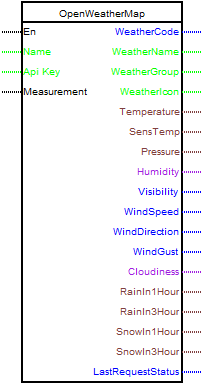
The block is designed to receive current weather data using the API service https://openweathermap.org .
To work with the block, you must have the API key of the application. To receive it, you need to register on the service, select a tariff and get a key.
To work with the block, you must have the API key of the application. To receive it, you need to register on the service, select a tariff and get a key.
Please note that due to the presence of sick people in our world, for residents of Russia, the initial registration must be done through a VPN.
After creating an account on the service, everything else can be done without a VPN.
For most cases, the free plan is sufficient, allowing you to request data no more than 1 time per second.
The block is configured using the block editor.
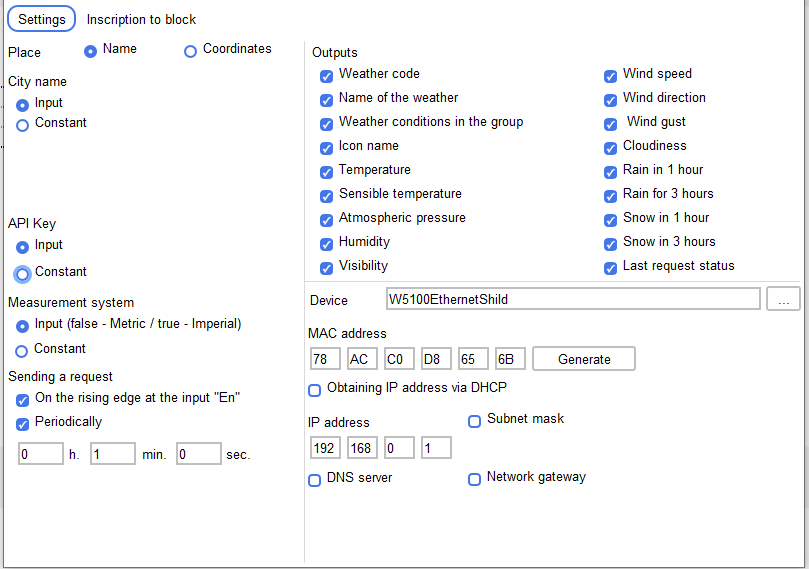
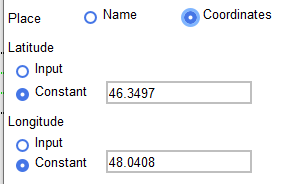
There are two ways to set the weather receiving location:
1. Coordinates
2. The name of the city in Latin.
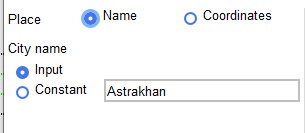
It is possible to set these parameters both as a constant and through an input.
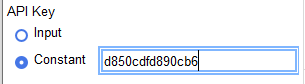
Setting an API key is also possible both using a constant and through a block input.
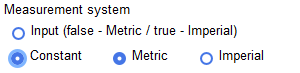
The System of Measurements parameter sets the system of returned values.
The block is configured using the block editor.
There are two ways to set the weather receiving location:
1. Coordinates
2. The name of the city in Latin.
It is possible to set these parameters both as a constant and through an input.
Setting an API key is also possible both using a constant and through a block input.
The System of Measurements parameter sets the system of returned values.
List of return parameters
Output name |
Exit Description |
Unit measurements (Metric) |
Unit measurements (Imperial) |
|---|---|---|---|
Weather code |
Weather ID | ||
Weather name |
Weather group (Rain, Snow, Extreme.) | ||
Group Weather |
The weather in the group. You can get the result in your language | ||
Icon name |
Weather icon id | ||
| Temperature |
Temperature | Celsius | Fahrenheit |
| Felt temperature |
This temperature setting determines the human perception of the weather | Celsius | Fahrenheit |
Atmospheric pressure |
Barometric pressure | hPa | hPa |
Moisture |
Moisture | % | % |
Visibility |
Visibility | meter. | meter. |
Wind speed |
Wind speed | meter/sec | miles/hour |
| Wind direction |
Wind Direction | degrees (weather) | degrees (weather) |
Wind |
Gust of Wind | meter/sec | miles/hour |
| Cloudy |
Clouds | % | % |
| Rain in 1 hour |
Rain volume in the last 1 hour | mm | mm |
| 3 hours of rain |
Rain volume in the last 3 hours | mm | mm |
| Snow in 1 hour |
Snow volume in last 1 hour | mm | mm |
| Snow in 3 hours |
Snow volume in the last 3 hours | mm | mm |
Last request status |
Status code for the last request to the server. 0 - request successful. -1 - HTTP_ERROR_CONNECTION_FAILED -2 - HTTP_ERROR_API -3 - HTTP_ERROR_TIMED_OUT -4 - HTTP_ERROR_INVALID_RESPONSE -5 - Json Error 401 - Invalid API key 404 - city not found |