
Terminal (from version 4.2.3)
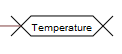
The unit is designed to create connections between different boards. Unlike a variable, compiled code
does not create a separate variable for a terminal, but simulates a normal connection between blocks.
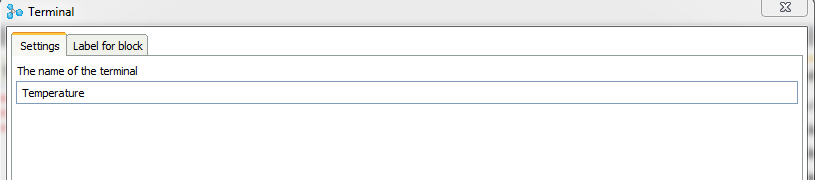
The terminal block can be connected to any output of any block. Then in the editor block, you must specify the name of the terminal.
If a terminal is not connected to the output of a block, or if a terminal name is not specified, the block is considered invalid.
The terminal name must be unique, the program keeps track of this, and if you try to specify an existing name, a warning will be issued.
The terminal block can be connected to any output of any block. Then in the editor block, you must specify the name of the terminal.
If a terminal is not connected to the output of a block, or if a terminal name is not specified, the block is considered invalid.
The terminal name must be unique, the program keeps track of this, and if you try to specify an existing name, a warning will be issued.
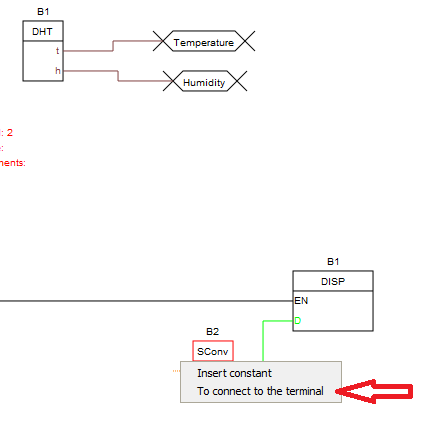
You can connect to the terminal from any Board except the one on which the terminal is located.
To connect to the terminal, it is necessary to press the right mouse button on the free input, and select “Connect to terminal”in the drop-down menu.
This menu item will appear only if the project will be present terminals to which this input can connect.
To connect to the terminal, it is necessary to press the right mouse button on the free input, and select “Connect to terminal”in the drop-down menu.
This menu item will appear only if the project will be present terminals to which this input can connect.
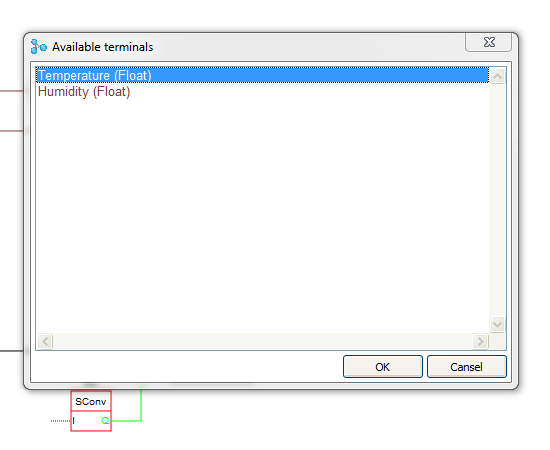
This opens the terminal selection window, which displays the terminals that exist in the project to which this input can connect.
After selecting the desired terminal, the input of the unit will be connected to it
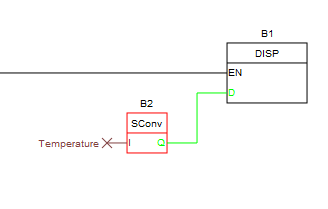
The use of terminals instead of variable allows to save space in the memory of the controller due to the absence
of unnecessary global variables in the target code.
But we must be careful when using terminals in some cases, when using basic logic and mathematics blocks. These blocks do not create their own variables for their outputs, but recalculate their values on the fly.
Here is an example schema.
But we must be careful when using terminals in some cases, when using basic logic and mathematics blocks. These blocks do not create their own variables for their outputs, but recalculate their values on the fly.
Here is an example schema.
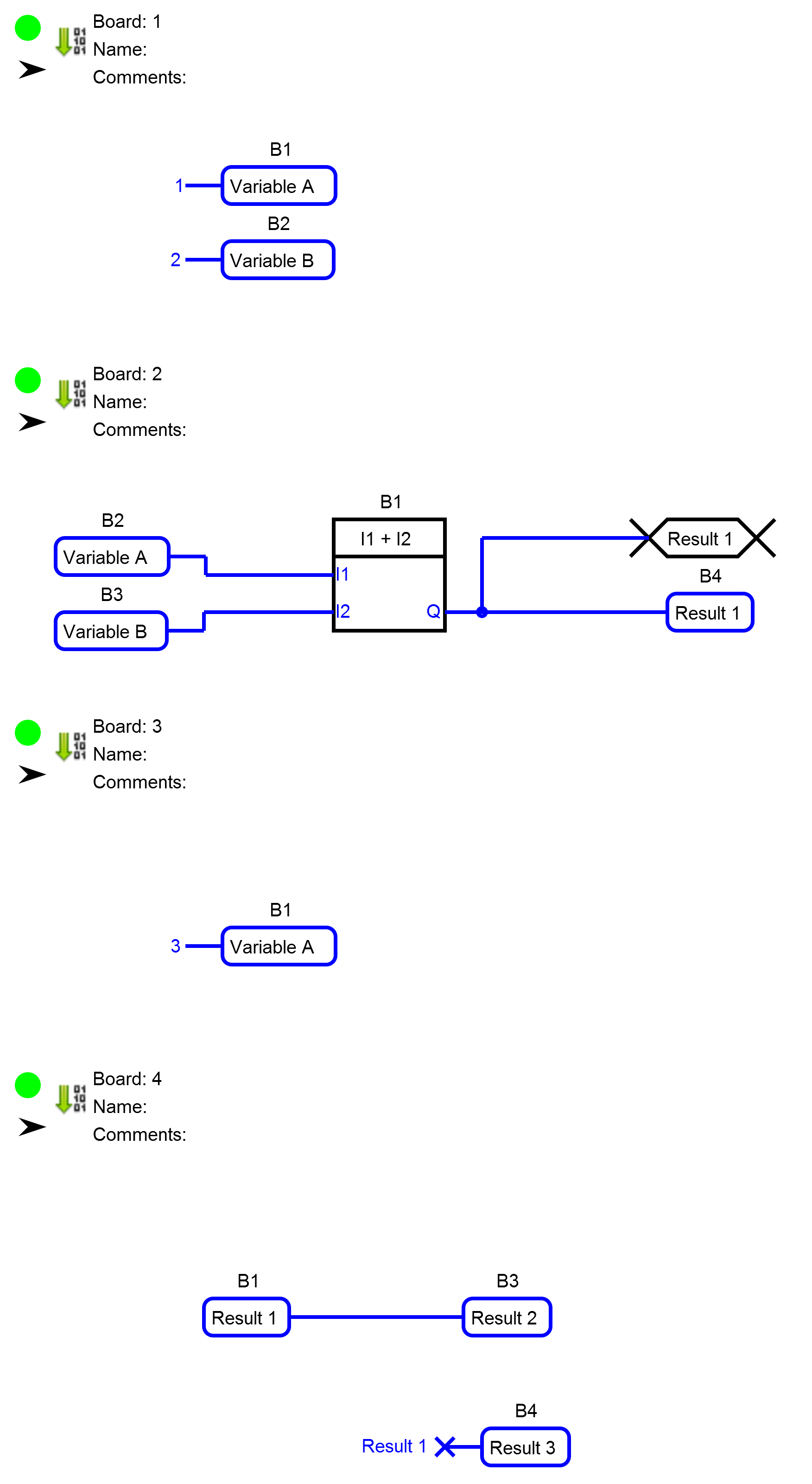
The variable "Result 1" will have the value 3 (1+2).
The variable "Result 2" will have the same value.
But with the variable "Result 3" is more difficult.
In view of the fact that on the circuit Board 3 to the variable "Variable A" the value was recorded 3 the block B1 on the Board again 2 count value at its output and terminal will write the new value to the variable "Result 3". So it will record a value of 5 (3+2).
Here is the code that will result from compiling this schema, which illustrates this behavior.
The variable "Result 2" will have the same value.
But with the variable "Result 3" is more difficult.
In view of the fact that on the circuit Board 3 to the variable "Variable A" the value was recorded 3 the block B1 on the Board again 2 count value at its output and terminal will write the new value to the variable "Result 3". So it will record a value of 5 (3+2).
Here is the code that will result from compiling this schema, which illustrates this behavior.
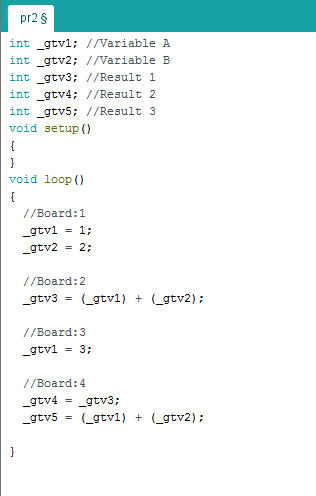
This feature of the terminals must be taken into account when developing the project.