
Branches "Code", "Code Section", "Code Part"
These branches are used to view the code and navigate through it.
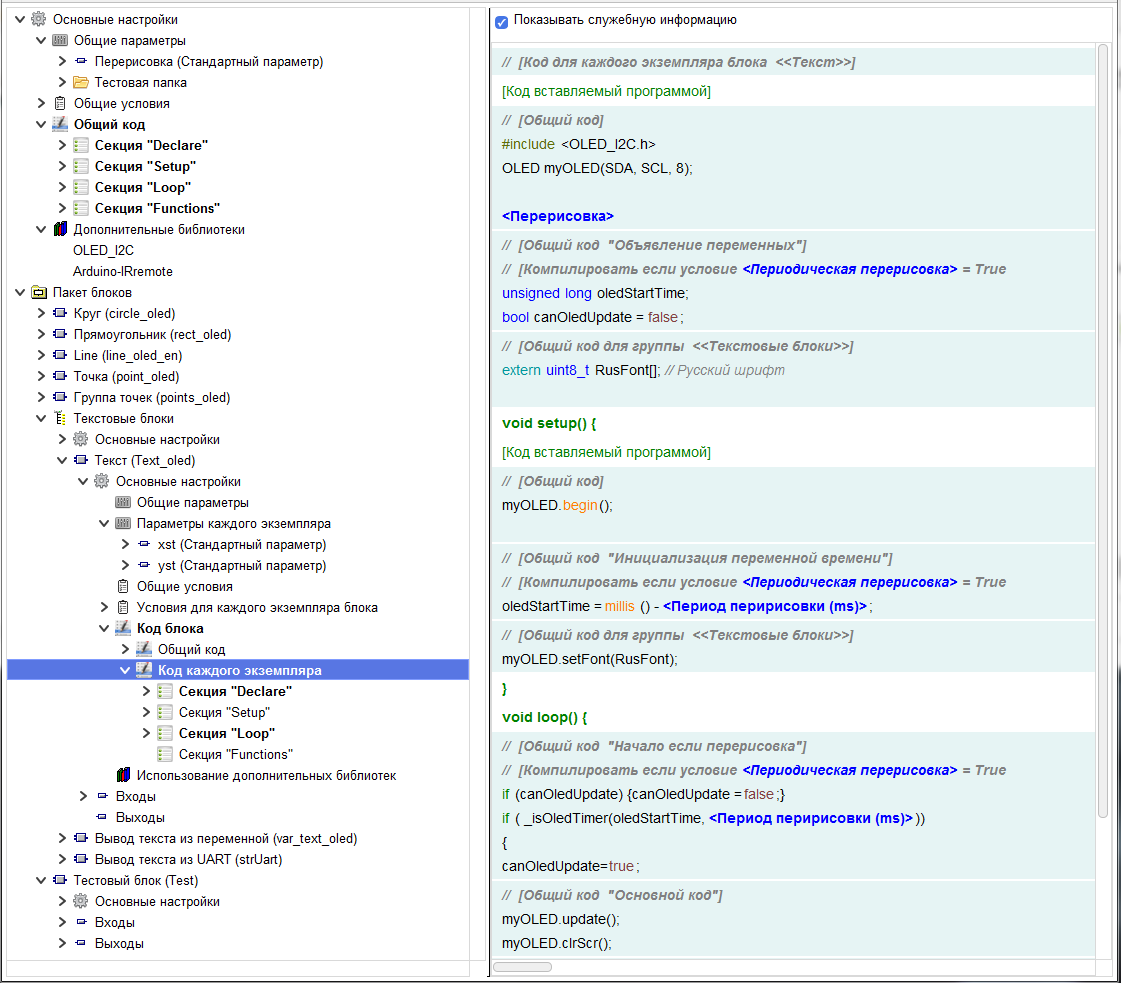
The "Code" branch shows all the code included in this branch, as well as all the code up the hierarchy of the editor tree, up to this branch.
The "Code" branch shows all the code included in this branch, as well as all the code up the hierarchy of the editor tree, up to this branch.
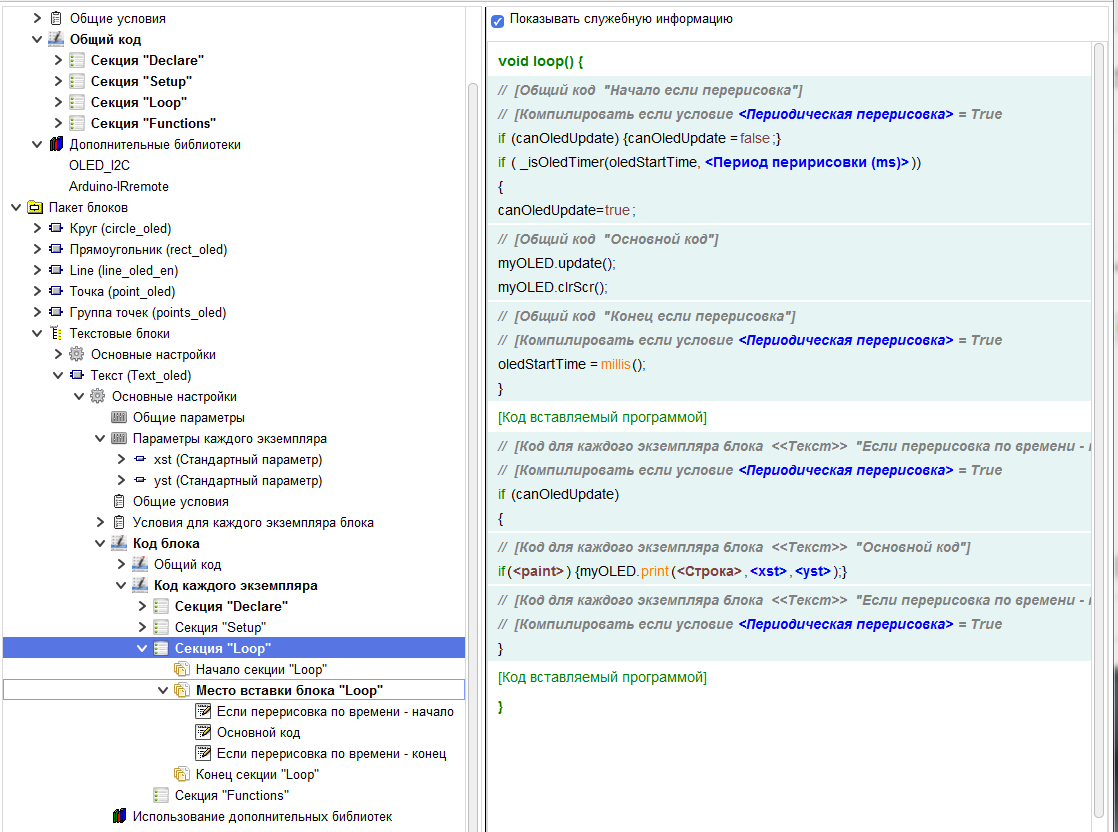
The "Code Section" branch shows all the code included in this branch, as well as all the code up the hierarchy of the editor tree, up to this branch, included in the corresponding section.
The "Code Part" branch shows only the code included in this branch.
In addition, on this branch there is a button " Create code element»(1)" with which new code elements are created in this section.
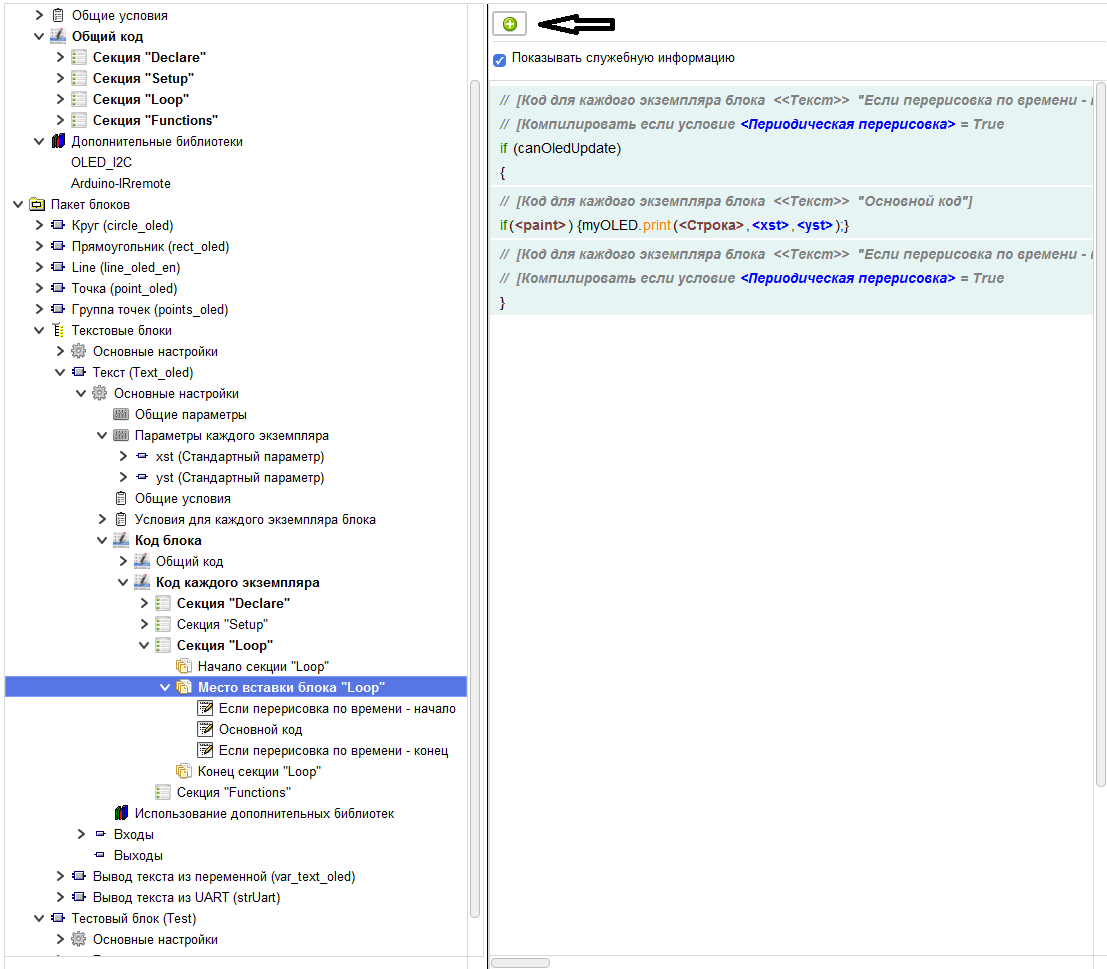
Otherwise, all these branches behave the same.
There are two modes for displaying the code. With or without providing service information. These methods are switched using the corresponding check box.
Mode without service information.
In this case, only the code entered by the author and the main code inserted by the compiler are displayed (void setup() …..).
Mode without service information.
In this case, only the code entered by the author and the main code inserted by the compiler are displayed (void setup() …..).
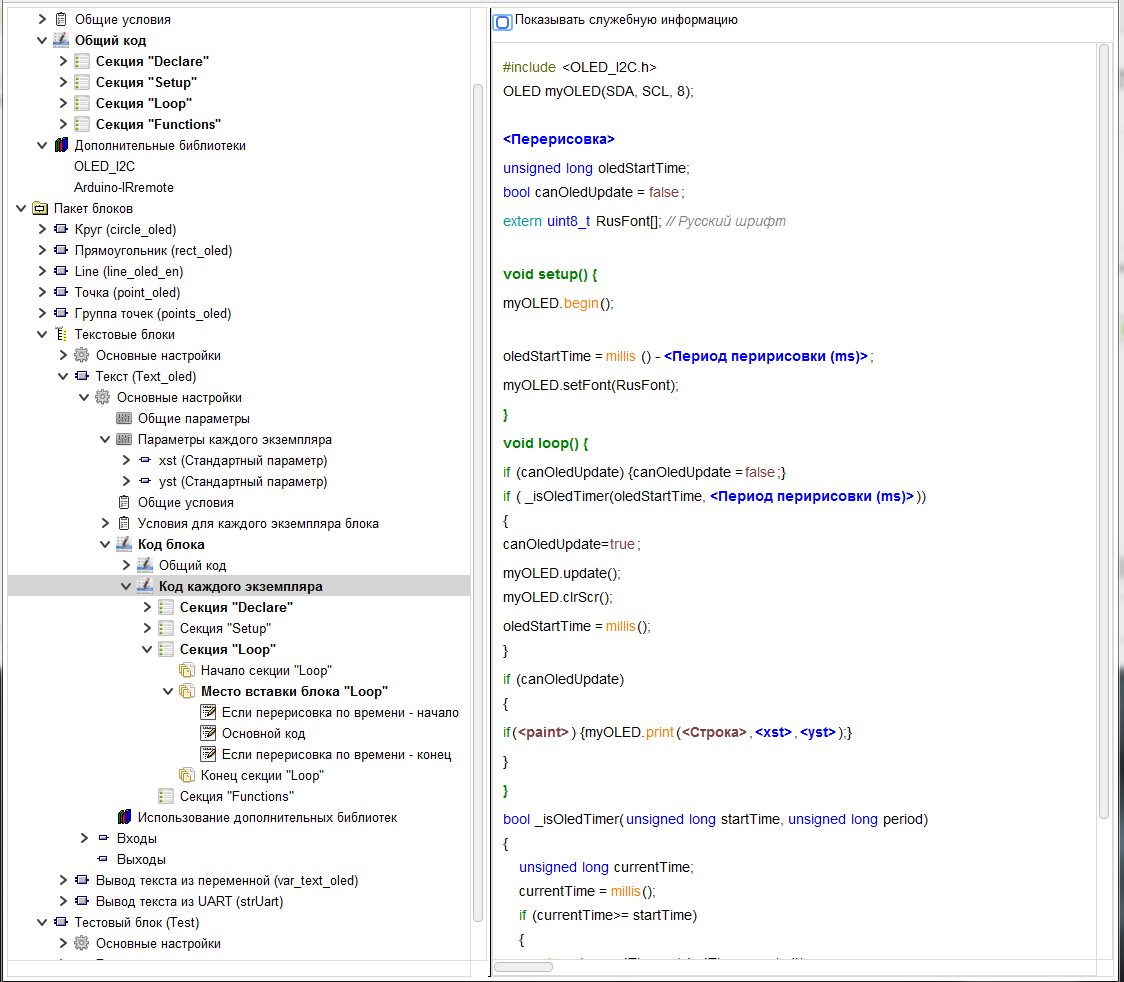
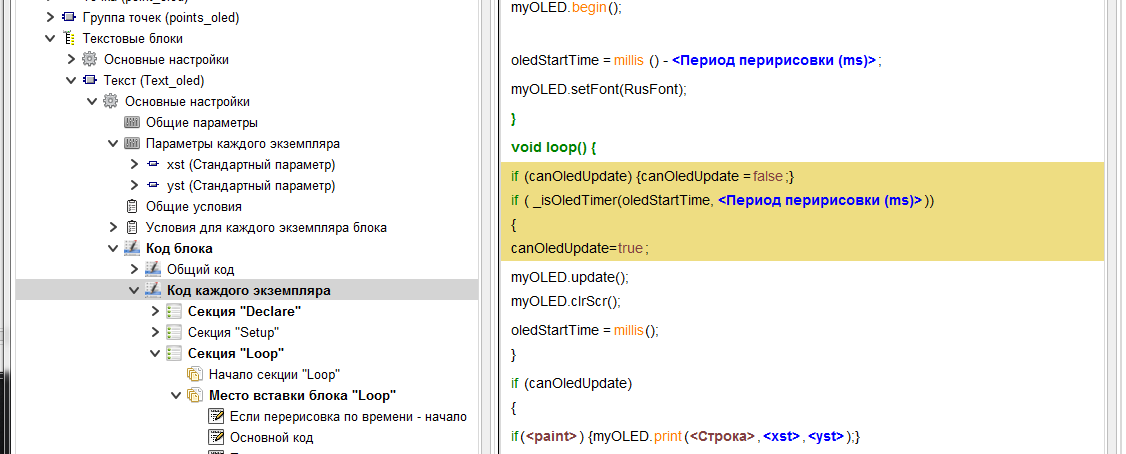
When you click on any code, all the code included in this code element will be highlighted. When you double-click on the code, you will be redirected to the branch of the code element that contains the selected code.
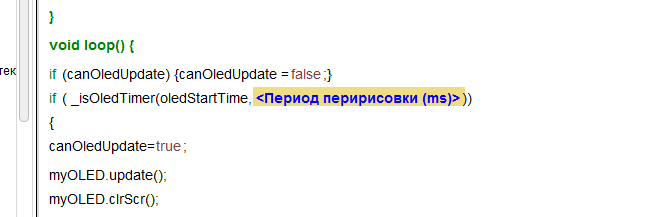
When you click on the input, output, parameter tag, this tag will be highlighted, and when you double-click on it, you will switch to the branch of the selected input, output, parameter.
Mode with display of service information.
In this mode, individual code elements are highlighted in color. Just as in the previous mode, the selection of individual code elements, inputs, outputs, parameters, and the transition to the corresponding branches when you double-click on them works.
In this mode, individual code elements are highlighted in color. Just as in the previous mode, the selection of individual code elements, inputs, outputs, parameters, and the transition to the corresponding branches when you double-click on them works.
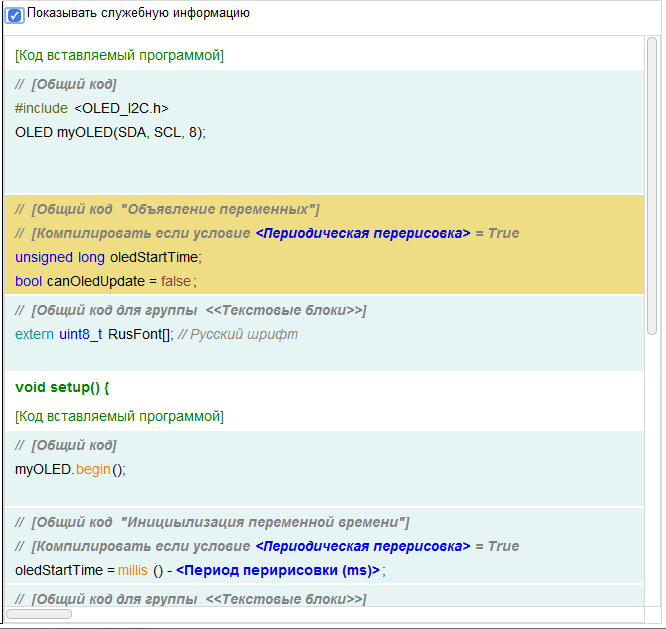
In addition the following information is shown as a comment for each code element:
Location of the code element and its name.
Location of the code element and its name.

If there is a condition for compiling the code – then this condition.

When you double-click on a condition tag, you go to its settings branch.