Editor of custom blocks in C (Professional).
General terms and concepts.
The editor is designed to create custom blocks in the C language. Unlike the Basic editor, it has advanced functionality and additional features.
The editor is available in the Pprog program starting from version 7.0.
The main editor window.
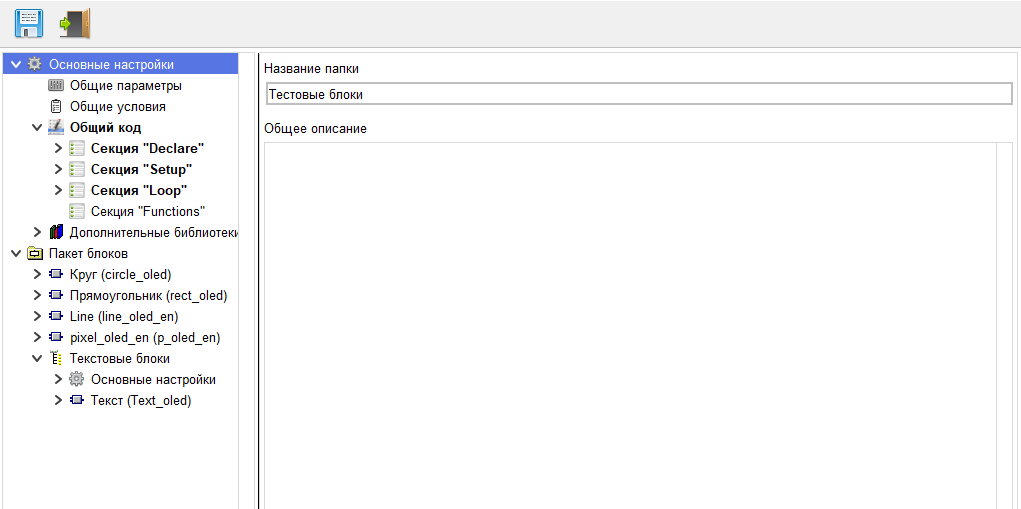
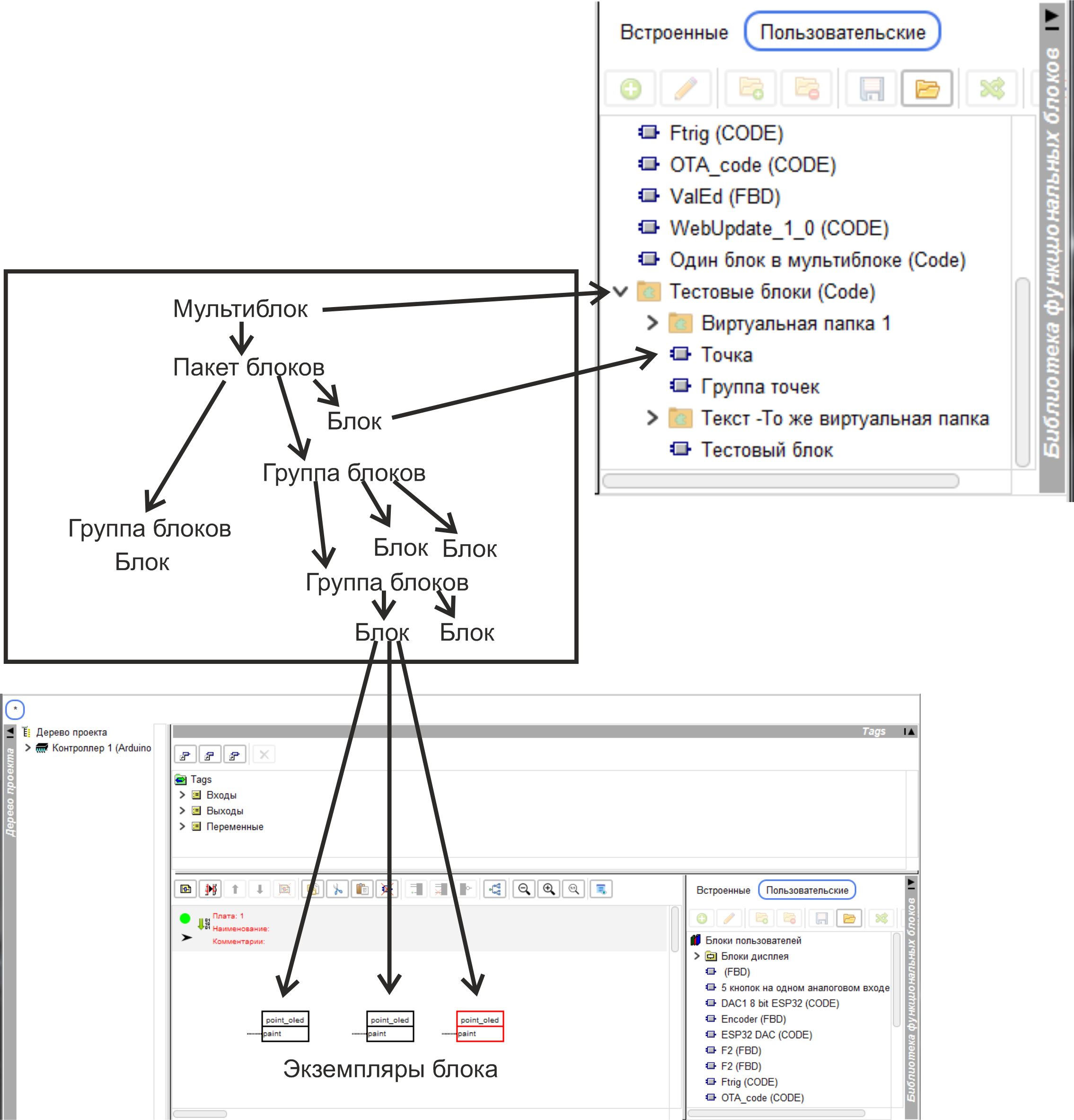
A block created in the editor can be either a single block or a package of blocks United by common functionality.
If the package contains a single block, then it is represented as a single block in the library of user blocks. If a package contains several blocks,
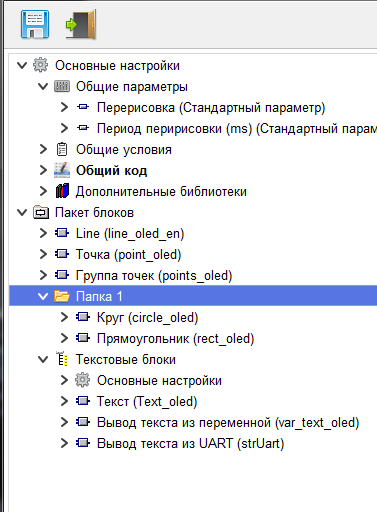
they are represented as a folder in the library. The order of blocks in this folder, the names, and the breakdown by subfolders are set on the corresponding branch in the tree of the block editor.
Therefore, the custom block created in this editor will be called multi block.
The individual blocks included in the package will be calledblocks.
Blocks included in a multiblock can be grouped into folders (purely visual separation for convenience), or groups (logical separation).
Blocks transferred to the project diagram are called the instances of the block
General principle of building a multiblock
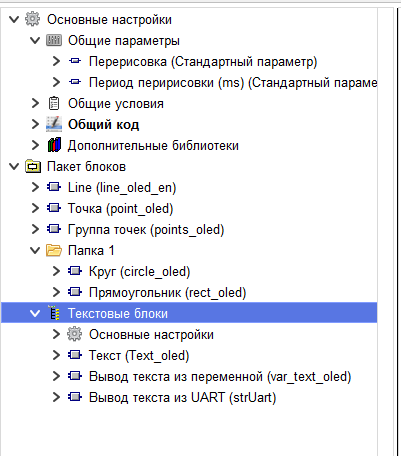
When creating a block, you can use parameters – user-defined values that can be changed during the creation process
project in FLProg. Parameters are divided into General parameters and instance parameters. There are General multiblock parameters, General group parameters, and General block parameters.
The General parameters of the multiblock will be shown in the settings of all instances of blocks included in the multiblock when using them in the project.
If you change this parameter in one instance, the value of this parameter will also change in other instances of multiblock blocks included in the project.
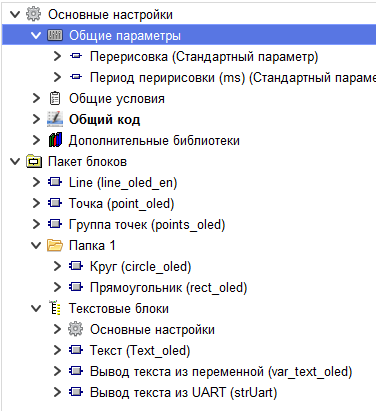
Общие параметры группы будут показаны в настройках всех экземпляров блоков входящих в эту группу при использовании их в проекте.
При изменении этого параметра в одном экземпляре, значение этого параметра изменится и в других экземплярах блоков этой группы входящих в проект.
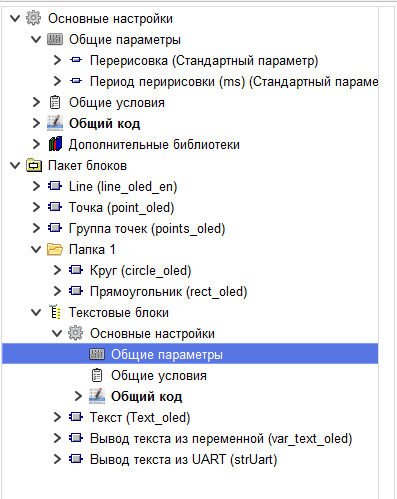
General instance parameters will be shown in the settings of all instances of this block. If you change this parameter in one instance, the value of this parameter will also change in other instances
of this block included in the project.
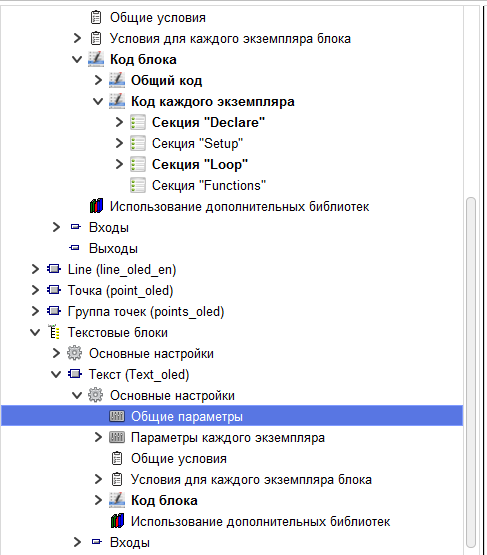
Instance parameters, as well as General block parameters, are shown in all instances of the block. But when you change this parameter, it changes only in a specific instance.
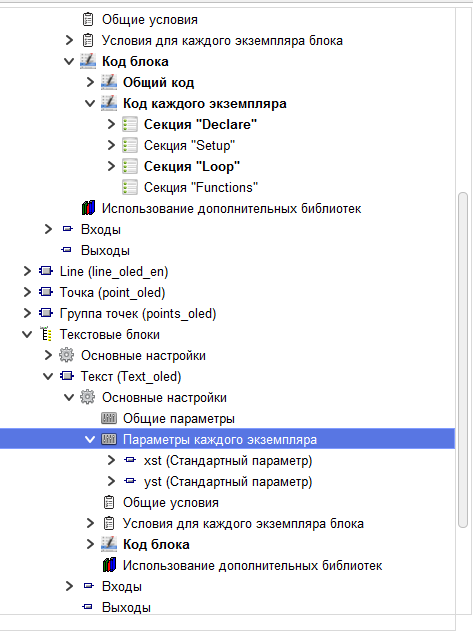
When compiling a project, two types of inserted code are generated for a multiblock. Common code, and the code of each instance
The shared code is inserted into the sketch ONCE, regardless of the number of block instances used in the project.
The code of each instance is inserted into the sketch for each instance of the block.
As with parameters, there is a common multiblock code, a common group code, and a common instance code.
The General multiblock code is inserted into the sketch code once when any instance of the block included in the block package is used in the project.
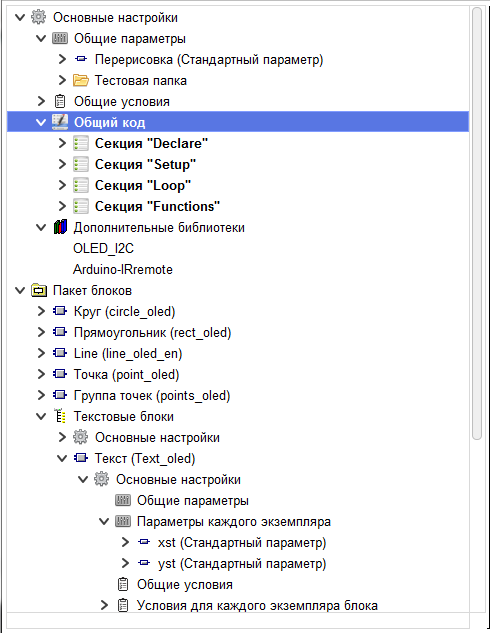
The General code of the group is inserted into the sketch once when using any of the instances of blocks included in this group in the project.
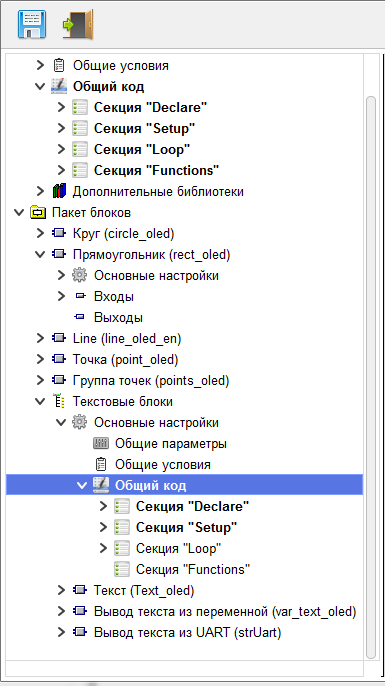
The common block code is inserted into the sketch once when using instances of this block in the project.
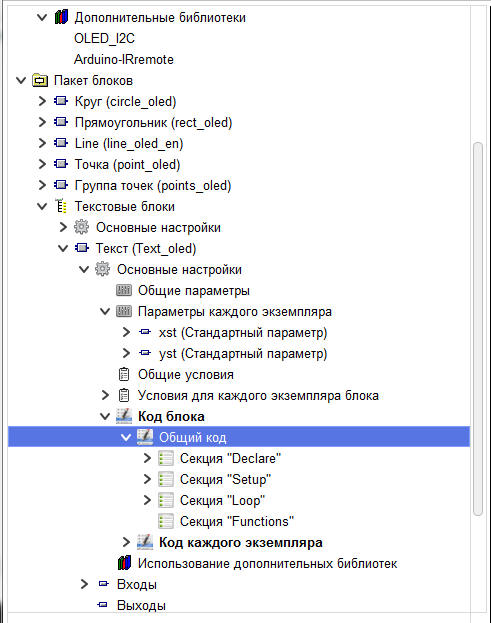
The code of each instance is inserted into the sketch for each instance of the block used in the project
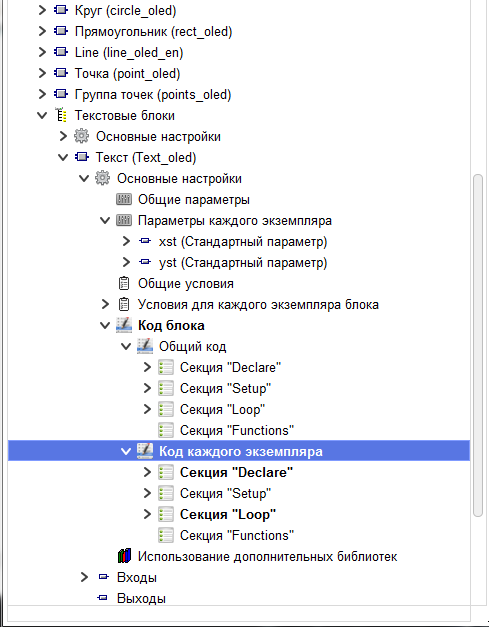
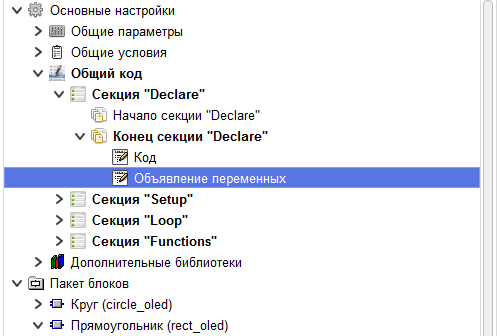
Each of these types of code is divided into sections, according to the place of insertion in the sketch
Это секции “Declare”, “Setup”, “Loop”, “Functions”. They correspond to the sections in the sketch in the Arduino IDE.
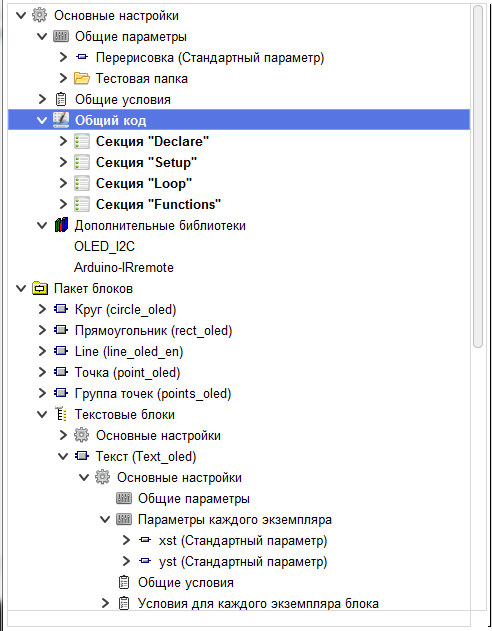
Each section is divided into sections according to where the code is inserted into the section.
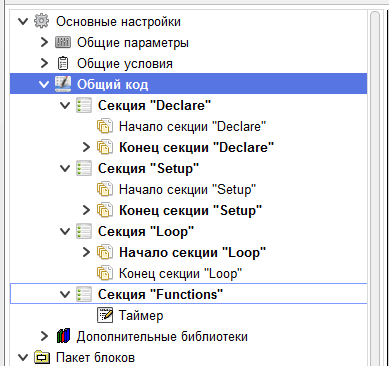
Код из The start of the sectionit is inserted in the corresponding section of the sketch before the code that is inserted by the program compiler for standard blocks.
Код из The end of the section it is inserted in the corresponding section of the sketch after the code that is inserted by the program compiler for standard blocks.
The code of the “Functions " section is always inserted at the end of the sketch.
For the code of each instance, there is an additional section in the “Loop” section Place to insert the block.
The code from this section is inserted in the loop section of the sketch at the insertion point of a specific instance of the block.
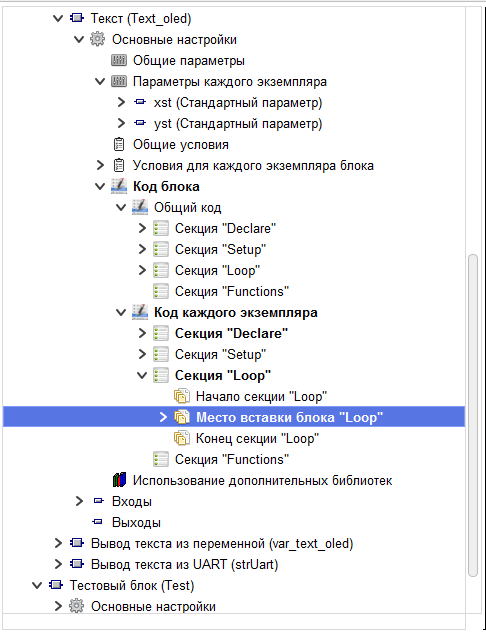
In each section of the code, you can create one or more code elements. In the code element, the C code itself is written directly, which will be inserted into the sketch.
To control the visibility of block parameters in the project, the presence of inputs and outputs for the block in the project, as well as the insertion of code elements in the sketch, use Conditions.
Both parameter values and some of the project's system values are used to create conditions. Like parameters, conditions are broken down into General conditions, and the conditions of each instance.
General multiblock conditions can only use General multiblock parameters, and system project values. These conditions can be used for management in any instance, and for any code element.
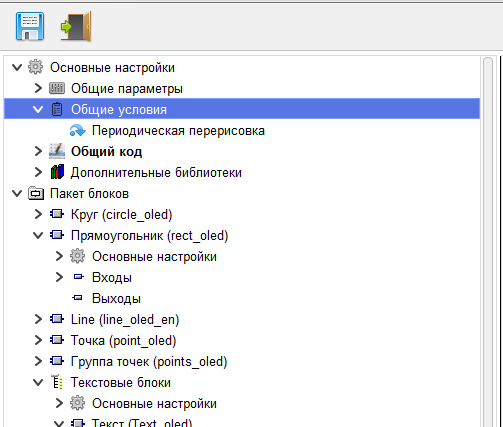
General conditions of a group can use the system values of the project, General parameters of the multiblock, General parameters of the groups that this group belongs to, General parameters of this group. These conditions are available for management in all instances that are part of this group, and elements of the General code of this group, and groups that are part of this group.
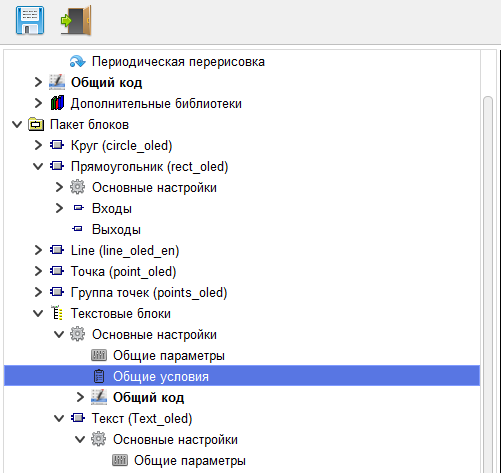
General conditions of an instance can use system values, values of General parameters of this block, values of General parameters of all groups that this instance belongs to,
as well as the values of the General parameters of the multiblock. These conditions can be applied to the control in this block.
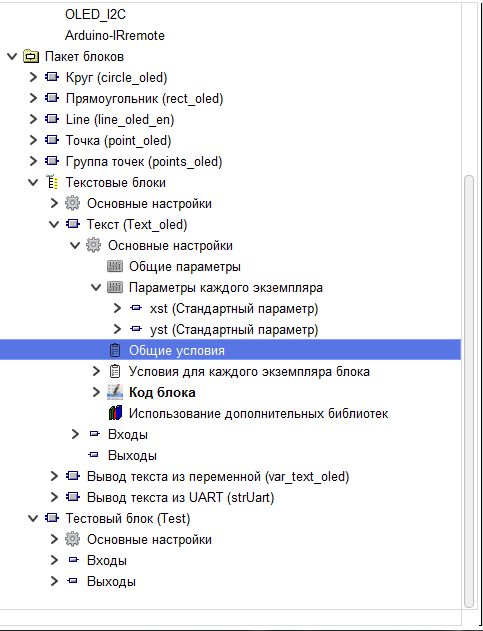
The conditions of each instance can use system values, the value of the parameters of the instances of a given block, the values of General parameters
this block, values of common parameters of all groups in which this unit is included, as well as the values of General parameters multiblock. These conditions can be applied to control in this instance of the block.
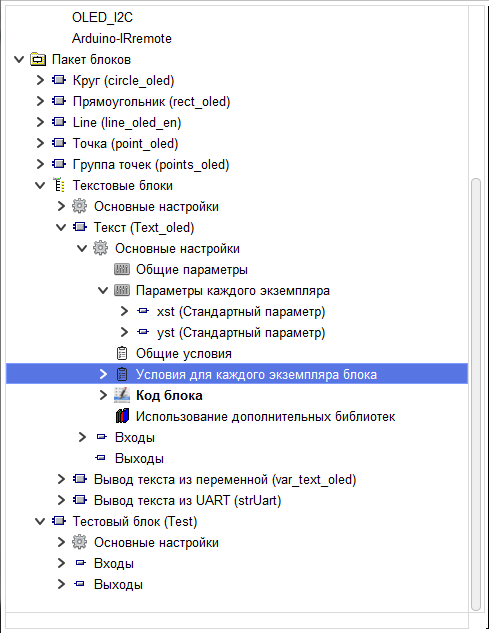
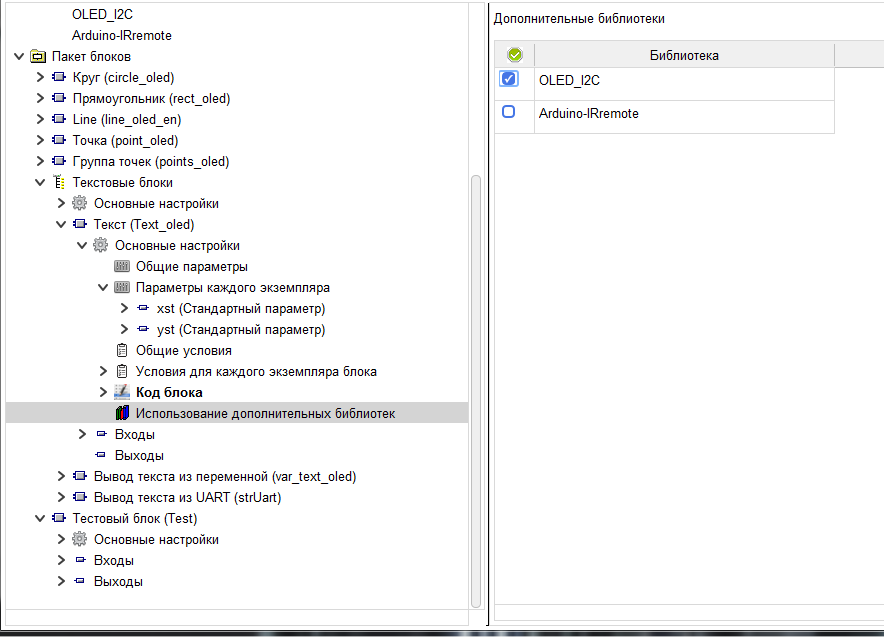
All libraries used by instances are loaded into the multiblock.
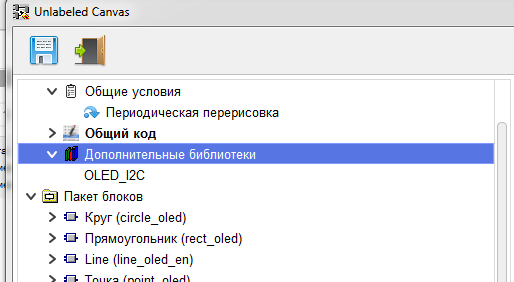
And in each specific block, it is specified which library the block uses. When compiling a project, only those libraries that are used by the block instances used in the project are unloaded.