
The parameter "Variable of the project"
The "project Variable" parameter is used for use in the block of a variable that exists in the project.
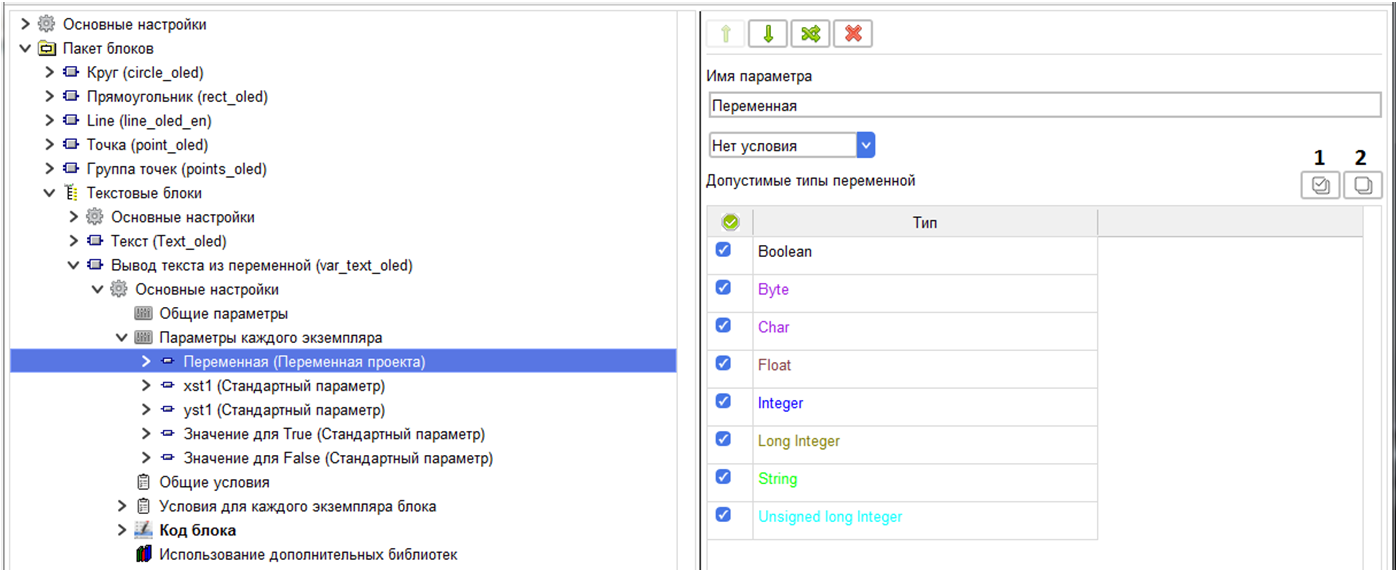
When setting a parameter, you can specify the types of variables that will be available for selection.
Use the Select all button (1) to select all types at once, and use the Reset all button (2) to reset all selected types.
When configuring a block in a project, you can select a variable from existing variables, or create a new variable.
When configuring a block in a project, you can select a variable from existing variables, or create a new variable.
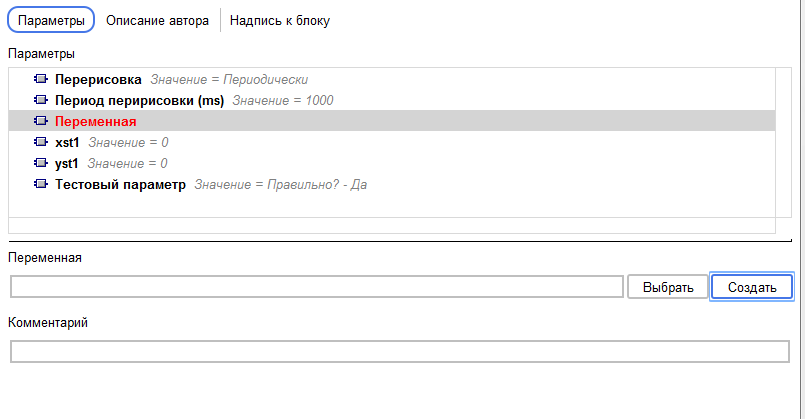
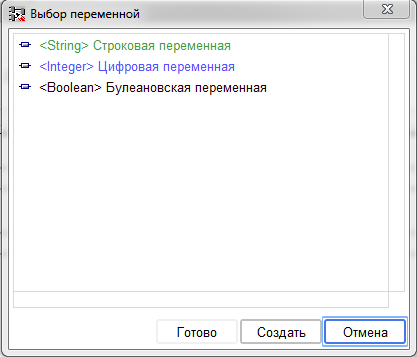
When you click on the "Select" button, a variable selection window will open, where the variables will be presented, according to the type filter set in the parameter properties.
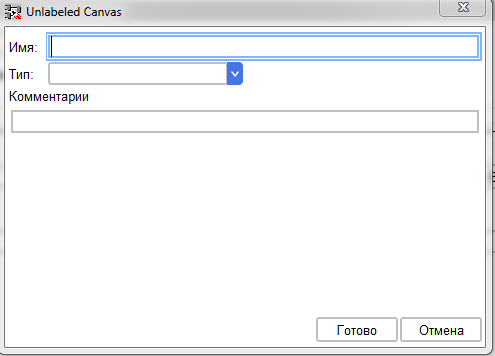
When you click the "Create" button, the window for creating a new variable opens.
After creating a variable, it will be added to the General list of project variables.
Two tags are created for this parameter.
Two tags are created for this parameter.
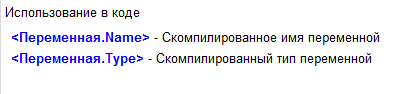
Both tags are available for use in the code, and a variable type tag is available for use in conditions.
Example of using the "Variable" parameter»
Let's create an abstract block for displaying the value of a variable on the display.
First, let's create the "Variable" parameter.
First, let's create the "Variable" parameter.
In the parameter, select all types of the variable.
Then we create three conditions that divide all types into three types – numeric, Boolean, and String.
Then we create three conditions that divide all types into three types – numeric, Boolean, and String.
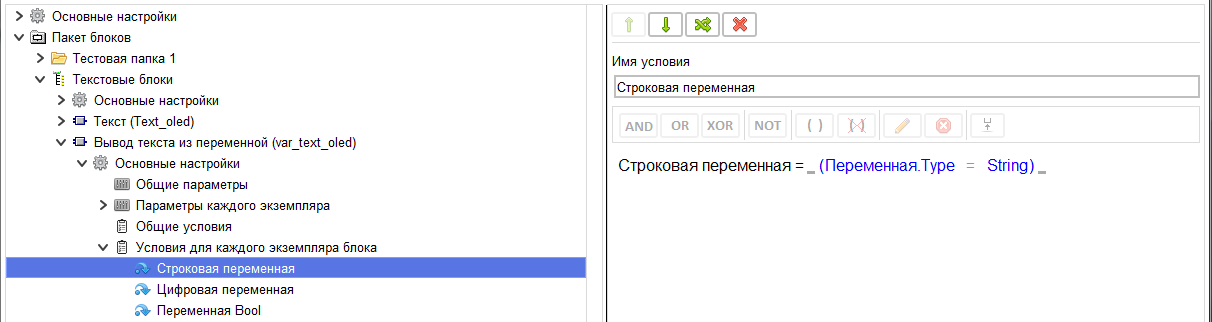
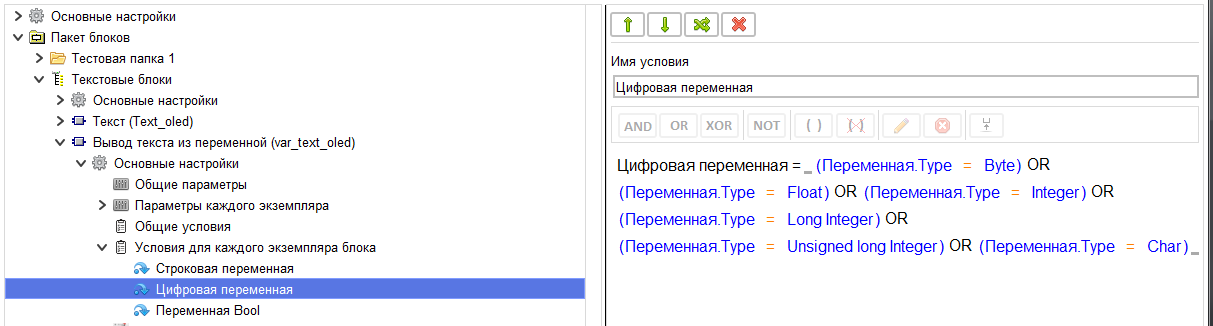
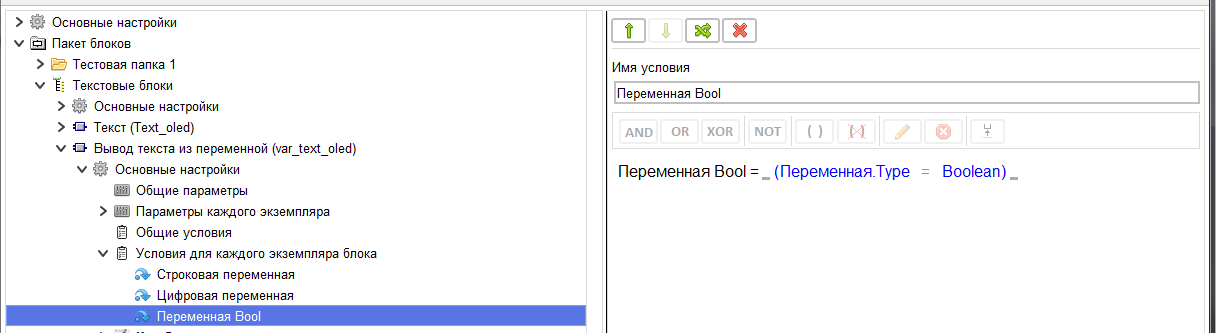
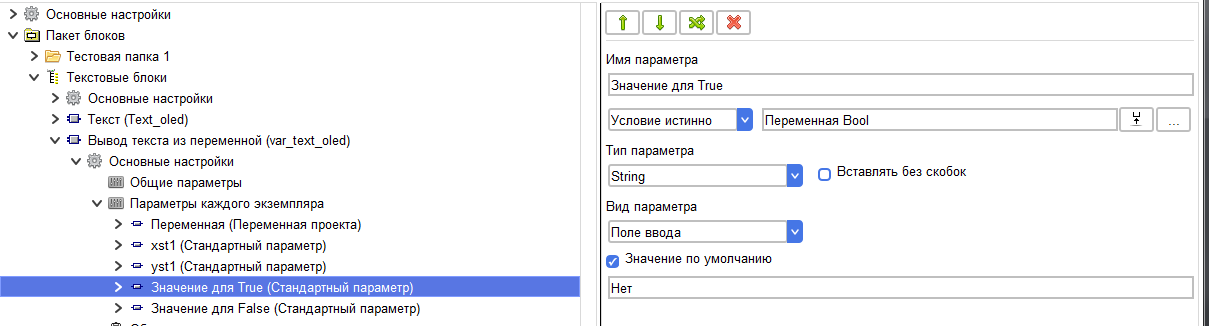
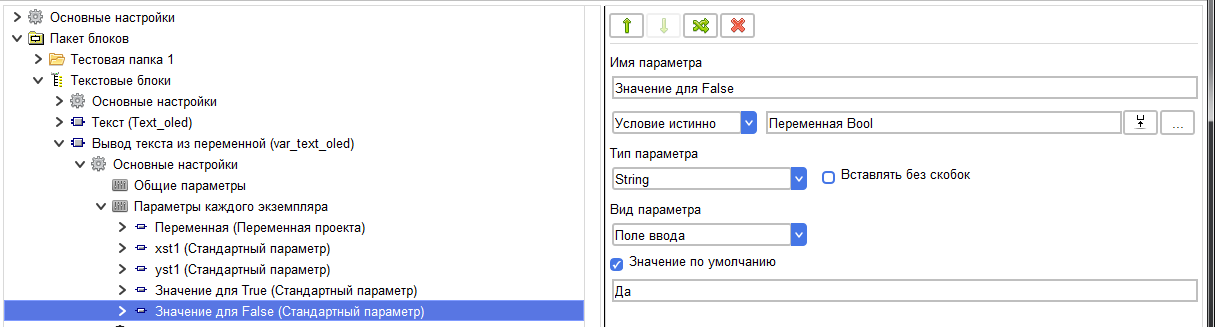
Then we will create two standard parameters in which we will allow the user to set how the values True and False will be displayed
if a Boolean variable is selected. These parameters will appear in the list of block settings only if you select a variable of this type
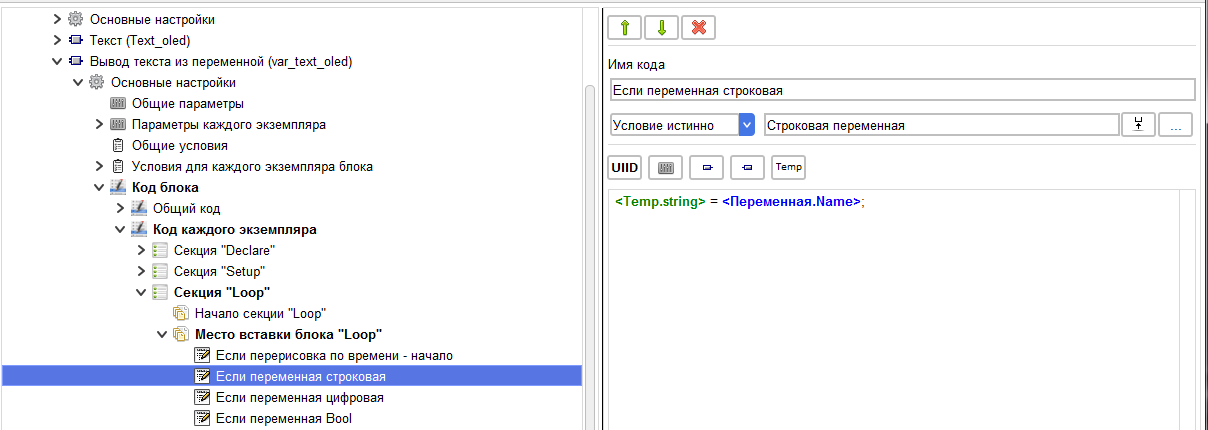
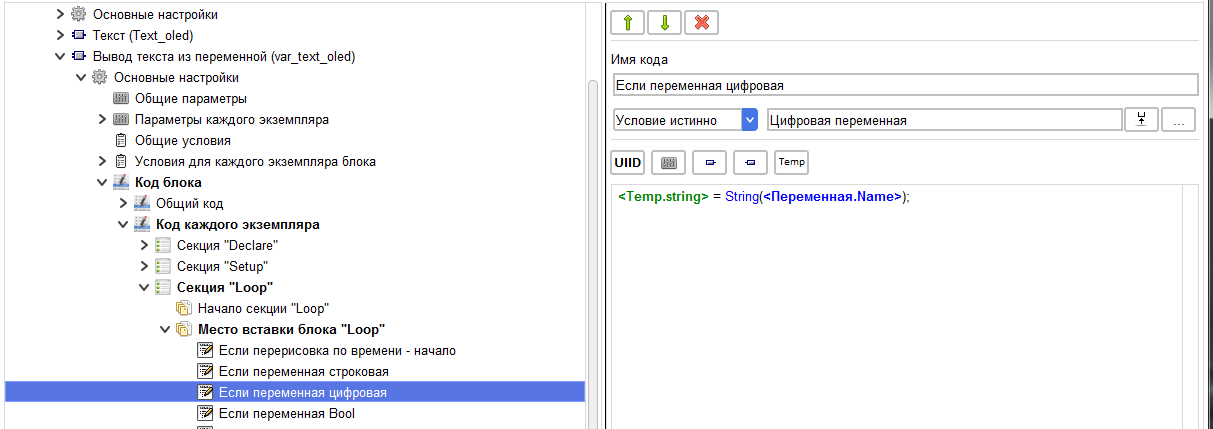
In the Loop section of the code of each instance, in the section where the block is inserted, we will create three code elements with an insertion condition depending on the condition.
In these elements, convert each type to a string depending on the type of the selected variable.
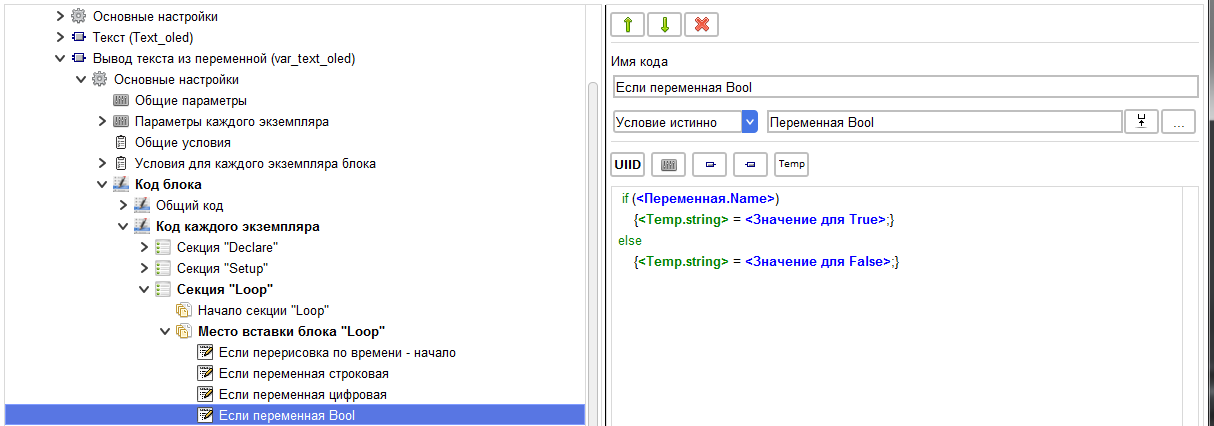
The next element of the code will display the resulting value on the screen.
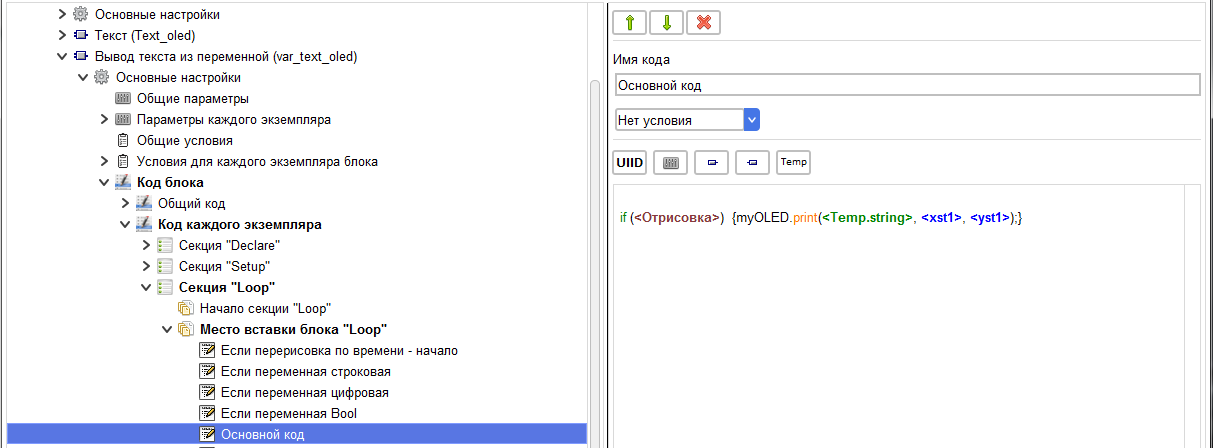
When compiling this block and selecting a Boolean variable, we get the following code
if (_gtv3)
{
_tempVariable_String = "Нет";
}
else
{
_tempVariable_String = "Да";
}
if ((0))
{
myOLED.print(_tempVariable_String, 0, 0);
}
if (_gtv3)
{
_tempVariable_String = "Нет";
}
else
{
_tempVariable_String = "Да";
}
if ((0))
{
myOLED.print(_tempVariable_String, 0, 0);
}